For a short preview or quote from a recording you only need one interval. Free1APK Podcast Clip Cutter decodes one audio file in your browser and exports the selected seconds as a WAV file with a small JSON report.
Cut a clip step by step
Step 1 Choose the audio file
Select one WAV, MP3, M4A, OGG, WebM or FLAC file that your browser can decode: up to 20 MB, 120 seconds and two channels.
Step 2 Enter the start and end time
Type the start in seconds (decimals allowed) and the end, or leave the end blank to keep everything up to the end of the file.
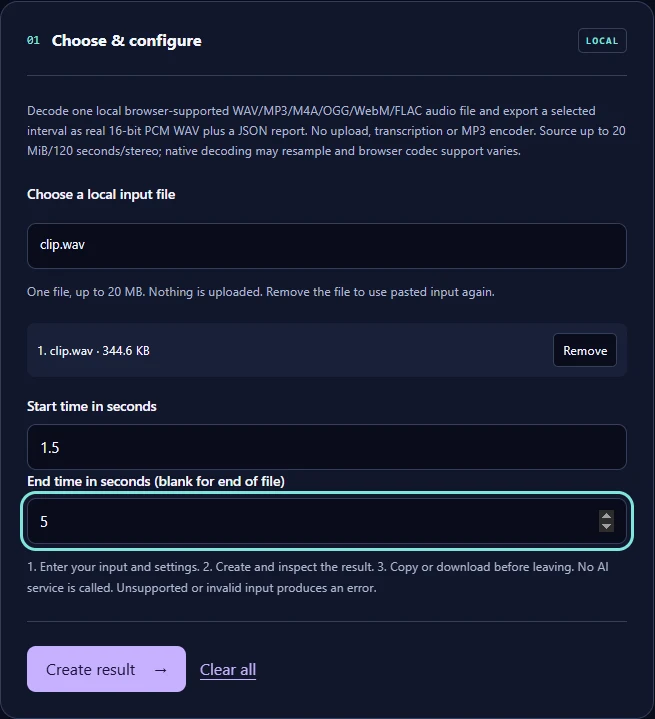
Step 3 Select Create result and download
The summary shows the clip length, sample rate and channels. Download the WAV and, if you want, the JSON report.
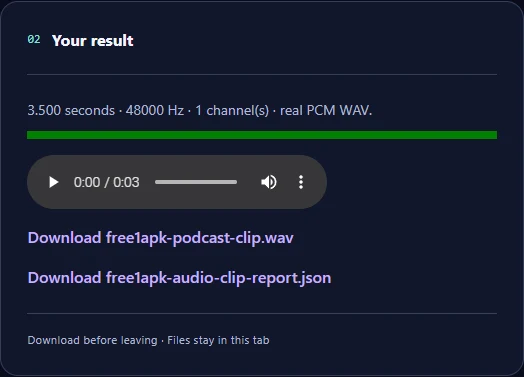
The real example
The source was an 8-second mono WAV at 22050 Hz. The downloaded clip is 3.5 seconds of 16-bit PCM at 48000 Hz, 336044 bytes. The browser's audio decoder resampled it, which the report states.
Limits to know
The output is always WAV; there is no MP3 encoder, and WAV files are large. Which formats open depends on your browser. Nothing is transcribed. Use only recordings you have the right to edit and share.
Frequently asked questions
Is the audio uploaded? No; decoding and cutting happen in your browser. Why is the sample rate different? Browsers decode audio at their own rate, so it can change. Can I cut longer files? Sources longer than 120 seconds are refused.